
Back Up and Roll Out Group Policy Changes Safely
Use this workflow before changing a Group Policy Object (GPO) that affects users or computers. It separates backup, pilot, verification, and promotion so a policy can be reviewed before it reaches a broad organizational unit (OU).
Confirm GPMC Tools and Domain Context
PreparationRun on an administrative workstation with Group Policy Management Console and the GroupPolicy PowerShell module installed. Verify the domain and domain controller you intend to manage.
Get-Module GroupPolicy -ListAvailableGet-ADDomain | Select-Object DNSRoot, PDCEmulatorGet-GPO -All | Select-Object DisplayName, Id, GpoStatus❯ View Expected Console Output
DNSRoot : contoso.comPDCEmulator : dc01.contoso.comBack Up the Current Policies
Recovery PointSave a timestamped backup to an access-controlled location that is included in backup and retention procedures. A GPO backup provides a restore point; it does not itself restore a policy or replace a tested disaster-recovery plan.
$BackupPath = 'D:\GPO-Backups\Before-Change-20261005'New-Item -ItemType Directory -Path $BackupPathBackup-GPO -All -Path $BackupPath -Comment 'Before pilot policy change'Get-ChildItem $BackupPath -Directory❯ View Expected Console Output
Backups are created for the GPOs visible to the current domain context.Store the backup where only authorized administrators can modify it.Use a Separate GPO and a Pilot OU
Controlled RolloutCreate a separate, clearly named GPO for the change. Link it only to a pilot OU containing representative test devices or users. Use security filtering only when the group membership and delegation have been reviewed. Avoid linking an untested policy at the domain root.
# Create a separate pilot GPO (skip if it already exists).New-GPO -Name 'Pilot - Example Policy'
# Inspect the target OU and inherited links before linking.Get-ADOrganizationalUnit -Identity 'OU=PolicyPilot,DC=contoso,DC=com'Get-GPInheritance -Target 'OU=PolicyPilot,DC=contoso,DC=com'
# Preview the link operation. After review, repeat without -WhatIf.New-GPLink -Name 'Pilot - Example Policy' `  -Target 'OU=PolicyPilot,DC=contoso,DC=com' `  -LinkEnabled $true -WhatIf
❯ View Expected Console Output
Confirm the intended GPO, OU link order, inheritance, and security filtering.Validate the Result on Pilot Clients
EvidenceRefresh policy on a pilot client during the change window, then capture the computer and user resultant policy. Review applied and denied GPOs, relevant event logs, and the setting itself. A refresh can run scripts or trigger software installation and restart behavior, so coordinate with the test user.
gpupdate /target:computergpresult /h C:\Temp\pilot-policy.html /fgpresult /r❯ View Expected Console Output
Computer Policy update has completed successfully.Review the report for the pilot GPO and its filtering status.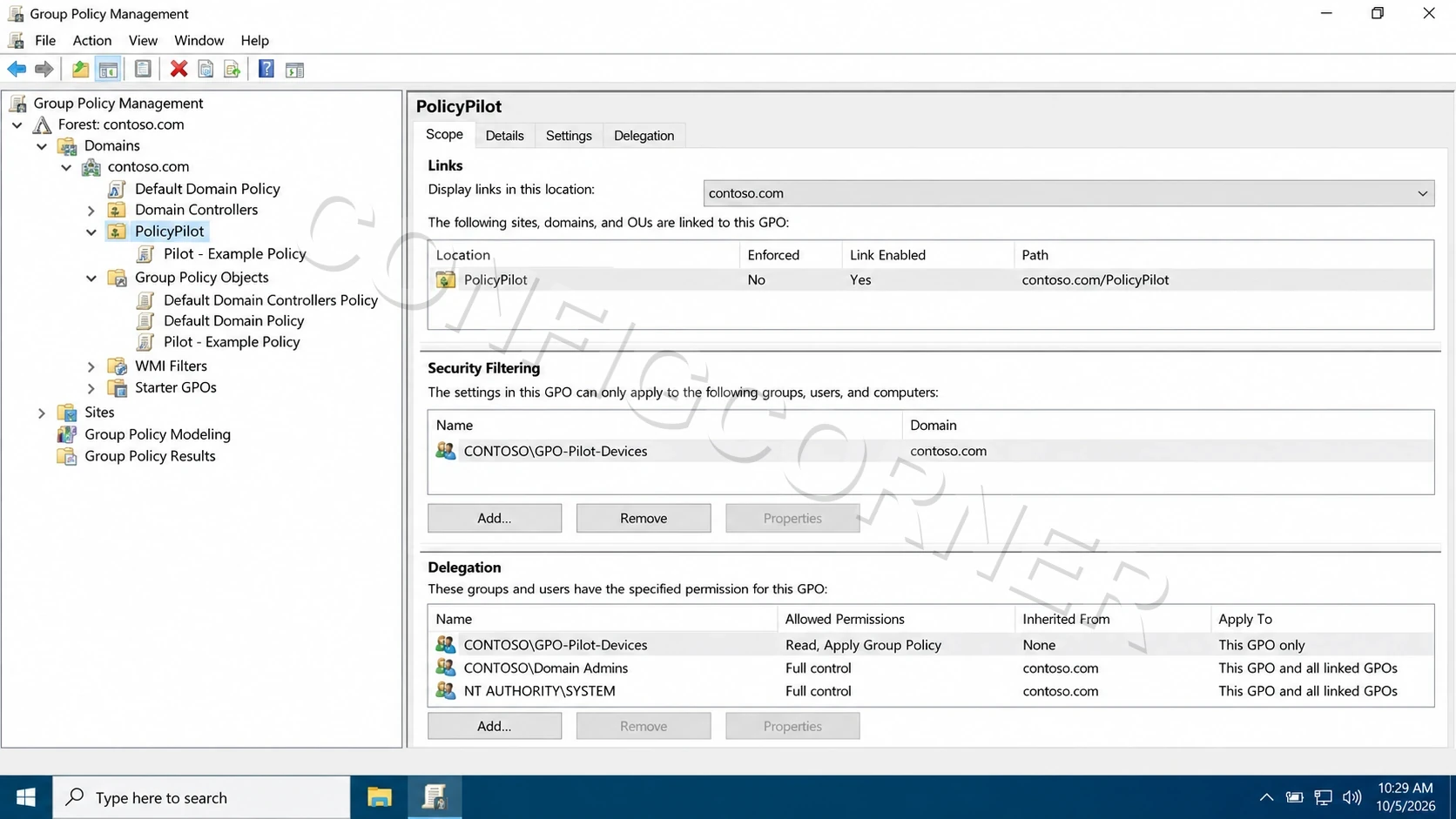
Group Policy Management: Check the pilot OU link and policy filtering before broad rollout.
Further reading: Back up, restore, migrate, and copy Group Policy Objects.