
Shell Quoting, Globbing, and Safe Command Arguments: A Beginner Guide
Before you begin
- Applies to:Linux with Bash 4 or later and GNU coreutils. The examples use Bash-specific syntax.
- Where to start:Open Bash with a regular account. Run the commands in order in the temporary folder created by the guide.
- What you need:Have a writable temporary directory. The example paths and wildcard output order can vary.
Guide tools
Spaces, quotes and wildcard characters affect the arguments a command receives. This guide makes those arguments visible before using them with real files. It uses Bash 4 or later and GNU coreutils on Linux; Bash arrays and the helper function are not portable POSIX sh syntax.
Run the steps in order as a normal user. All created files stay inside one temporary directory. Outputs are representative; directory paths and wildcard ordering can vary.
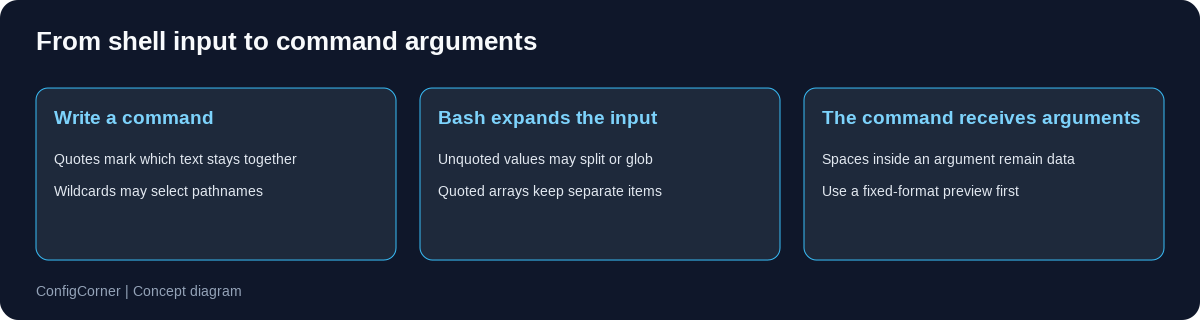
Open a Clean Bash Practice Shell
Start HereStart a separate Bash without personal startup files. Run the following inspection commands in the new shell. Set the wildcard options used by this exercise explicitly; the changes end when you leave this shell.
bash --noprofile --norcprintf 'Bash: %s\n' "$BASH_VERSION"shopt -u nullglob failglob dotglobCreate Files with Deliberately Tricky Names
PracticeSave your starting directory, create a unique lab, then enter it. The filenames include spaces, a leading dash and a hidden file. Keep this shell open so its variables remain available through cleanup.
CC_QUOTE_START=$PWDCC_QUOTE_LAB=$(mktemp -d "${TMPDIR:-/tmp}/cc-quotes.XXXXXXXX") || exit 1cd -- "$CC_QUOTE_LAB" || exit 1touch -- 'report one.txt' 'report two.txt' notes.md .hidden.txt ./-draft.txtpwdls -laPrint Each Argument Separately
PracticeDefine a helper that reports the number of arguments and prints each one in brackets. Using a fixed printf format ensures the input is treated as data. This previews shell argument handling without modifying the matching files.
cc_show_args() { local item printf 'argument count: %s\n' "$#" for item in "$@"; do printf '<%s>\n' "$item" done}cc_show_args 'report one.txt' 'report two.txt'❯ Illustrative Output (Results Vary)
argument count: 2<report one.txt><report two.txt>Compare Single Quotes and Double Quotes
PracticeSingle quotes keep the characters inside literal. Double quotes allow variable expansion while keeping the expanded value together as one argument. The quote characters themselves are removed before the function receives its arguments.
CC_REPORT='report one.txt'cc_show_args '$CC_REPORT'cc_show_args "$CC_REPORT"❯ Illustrative Output (Results Vary)
argument count: 1<$CC_REPORT>argument count: 1<report one.txt>See Why an Unquoted Variable Can Split
PracticeThe first call intentionally omits quotes to demonstrate splitting with the normal whitespace field separators. It is safe here because the helper only prints arguments. The second call preserves the entire filename. The ShellCheck suppression belongs only to the deliberately unsafe demonstration line.
# shellcheck disable=SC2086cc_show_args $CC_REPORTcc_show_args "$CC_REPORT"❯ Illustrative Output (Results Vary)
argument count: 2<report><one.txt>argument count: 1<report one.txt>Compare a Wildcard with a Literal Pattern
PracticeAn unquoted pattern matches filenames in the current directory. Quoting the pattern passes the literal characters instead. The plain star does not select the hidden file with the options chosen in Step 1. A wildcard match containing a space still forms one argument per matched pathname.
cc_show_args ./*.txtcc_show_args './*.txt'cc_show_args ./*.no-such-extension❯ Illustrative Output (Results Vary)
The first call has three arguments: ./-draft.txt and the two report files.The second call has one argument: ./*.txtWith the selected options, the unmatched pattern remains literal.Store a Reviewed File List in an Array
PracticeUse a Bash array when one variable must retain several filenames. Quoted at-sign expansion produces one argument for each array item. This lab guarantees matches; an automation script must also handle the no-match case and decide how hidden files should be treated.
CC_REPORTS=(./report*.txt)cc_show_args "${CC_REPORTS[@]}"for item in "${CC_REPORTS[@]}"; do printf 'Would process: <%s>\n' "$item"doneHandle a Filename That Starts with a Dash
PracticeGNU tools commonly accept a double dash to end option parsing. A dot-slash prefix also makes a relative pathname start with a dot rather than a dash. Quoting protects spaces but does not by itself stop a leading dash being interpreted as an option.
ls -l -- '-draft.txt'ls -l ./-draft.txtCopy a Space-Containing Filename Safely
PracticePreview the exact source and destination, then copy one file inside the lab. The destination is new and unique to this exercise. GNU cp options and the double dash belong to the command, while quoted paths identify the operands. The cmp exit status should be zero for identical files.
cc_show_args "$CC_REPORT" 'report copy.txt'cp -- "$CC_REPORT" 'report copy.txt'if cmp -s -- "$CC_REPORT" 'report copy.txt'; then printf 'Copy matches the source\n'else printf 'Comparison failed; inspect both files\n' >&2fiRemove Only the Lab Files
CleanupReturn to your starting directory first. Remove the exact files created by the exercise, then remove the empty lab directory. An unexpected remaining file causes rmdir to fail rather than being recursively deleted. Finish with exit to return to the original shell.
cd -- "${CC_QUOTE_START:?Run the setup step first}" || exit 1: "${CC_QUOTE_LAB:?Lab directory is not set}"rm -- "$CC_QUOTE_LAB/report one.txt" "$CC_QUOTE_LAB/report two.txt" \ "$CC_QUOTE_LAB/notes.md" "$CC_QUOTE_LAB/.hidden.txt" \ "$CC_QUOTE_LAB/-draft.txt" "$CC_QUOTE_LAB/report copy.txt"rmdir -- "$CC_QUOTE_LAB"unset CC_QUOTE_START CC_QUOTE_LAB CC_REPORT CC_REPORTSunset -f cc_show_argsReferences: GNU Bash quoting and shell expansion. Continue with pipes and redirection or safe batch file processing.
Your feedback keeps these production procedures accurate and battle-tested.